🎵 Muorg - The Music Organizer from Hell
A cross-platform app for organizing MP3 and FLAC music libraries, available on desktop, Android, and the web — and live at muorg.nergy.space. A dense, keyboard-friendly, library-style UI - not a minimal player, but a serious tool for keeping your collection clean and consistent across every device.
Pronounced "Mu-Ork" - think of a Musical Ork who organizes your music.
Release details may be refreshed from GitHub; cached details are used when available. Latest release details are not available yet. Browse all Muorg releases on GitHub If release details cannot be loaded, the full release history remains available on GitHub.Latest GitHub release
One product, four moving parts
Muorg is a single product made of a few components that share the same music library and metadata model. Run the desktop app on its own, or add the server to sync your library across every device.
🖥️ Desktop app
macOS · Windows · Linux — Tauri 2 + Vue 3 + Rust
The flagship app. It bundles muorg-server as a sidecar, so it works fully offline in Local mode, or points at a remote server in Online mode.
🛰️ Server (API / backend)
Rust + Axum REST API
The headless backend. Indexes your library into SQLite and exposes tracks, search, playlists, ratings, metadata editing, and audio/Chromecast streaming over HTTP. Self-host it with Docker on a NAS or home server — music can live on local disk or in any S3-compatible bucket (Hetzner Object Storage, Cloudflare R2, Backblaze B2, Wasabi, MinIO, AWS S3), or both at once. Every other client connects to it.
📱 Android app
Kotlin + Jetpack Compose
A native mobile client with Media3/ExoPlayer playback, Retrofit for the API, Room for offline caching, and Chromecast support. Connects to muorg-server to browse, search, and play your library on the go.
🌐 Web client
Vue 3 + Vite PWA
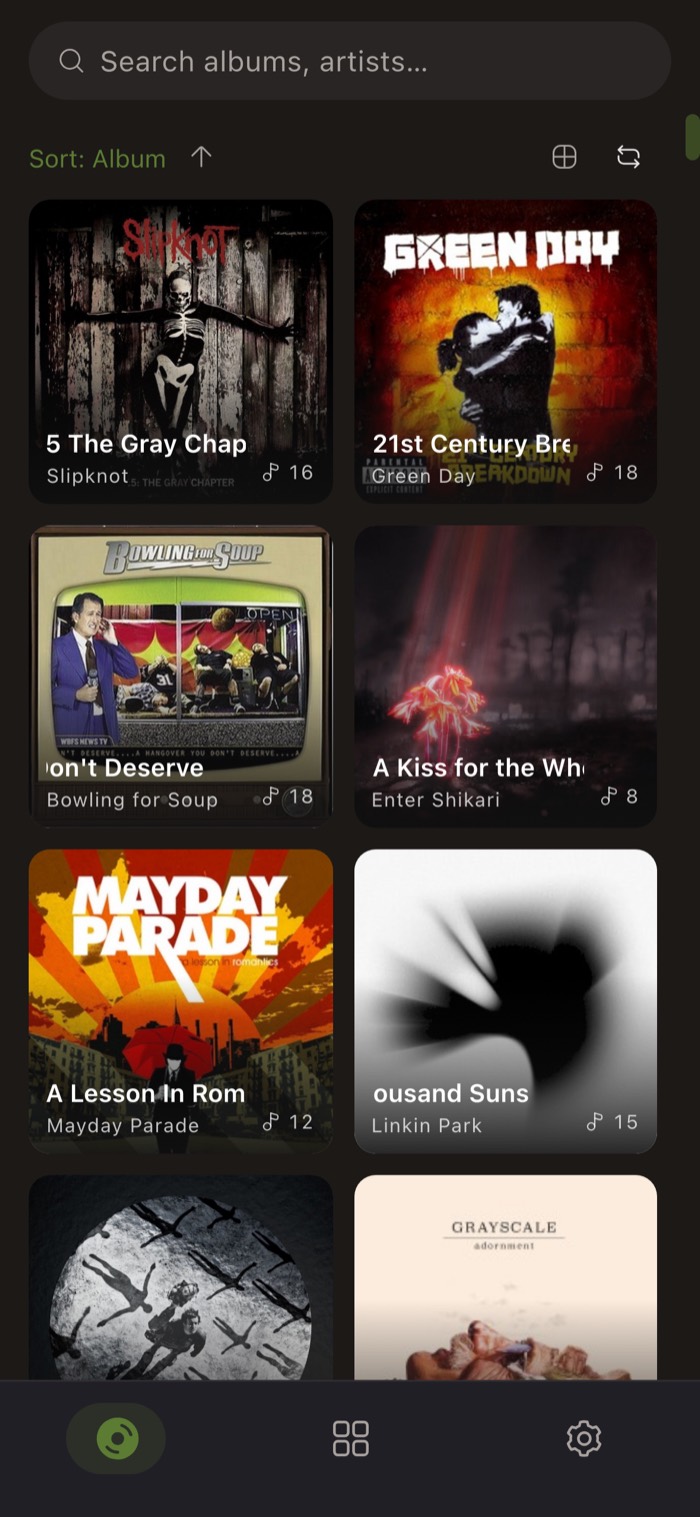
An installable browser UI served via nginx. Talks to the same muorg-server API, giving you full library access from any device without installing a native app.
Self-hosting
Muorg is built to be self-hosted easily. The server and web client ship as ready-to-run Docker images — one docker compose up starts both:
- muorg-server →
http://, muorg-web →:7700 http://:7800 - Point it at local music folders, or index a library straight out of an S3-compatible bucket — Hetzner Object Storage, Cloudflare R2, Backblaze B2, Wasabi, MinIO, or AWS S3. Cloud tracks behave exactly like local ones (search, seeking, FLAC transcoding, cover art, Chromecast, metadata editing, backups), and local folders + buckets can coexist in one library
- Library metadata lives in a persistent SQLite database; audio streams over HTTP with optional transcoding
- The live instance at muorg.nergy.space runs exactly this setup
Features
- Library management - Add folders (or drag-and-drop); Muorg scans for
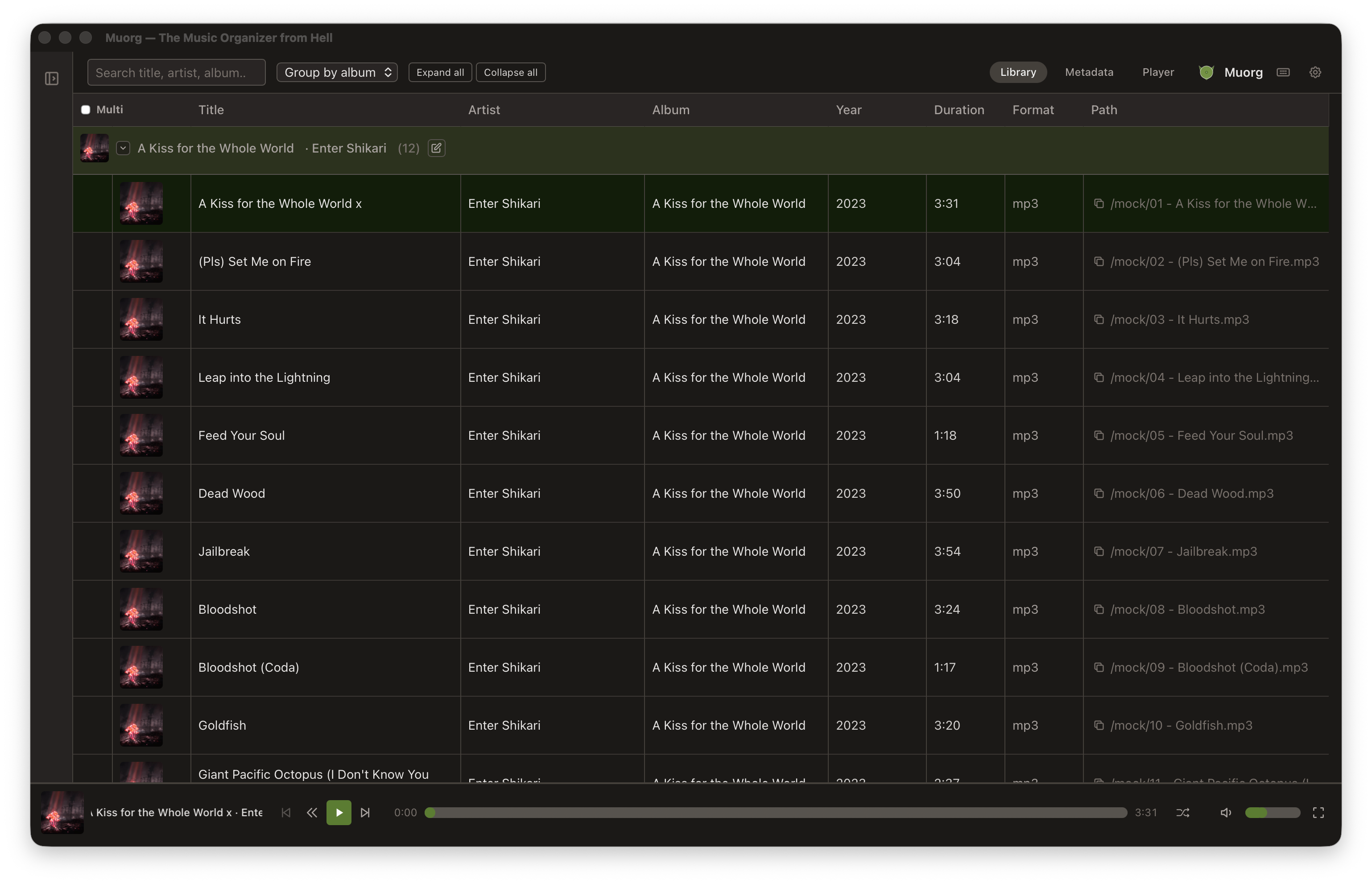
.mp3and.flacand builds a persistent catalog in SQLite. Rescan or remove folders from the sidebar. Hide/show folders; expand or collapse all groups. - Library view - Table with album art, title, artist, album, year, duration, format, and path. Full-text search across title, artist, and album. Group by album or artist with collapsible headers. Multi-select (Ctrl+A) for bulk actions.
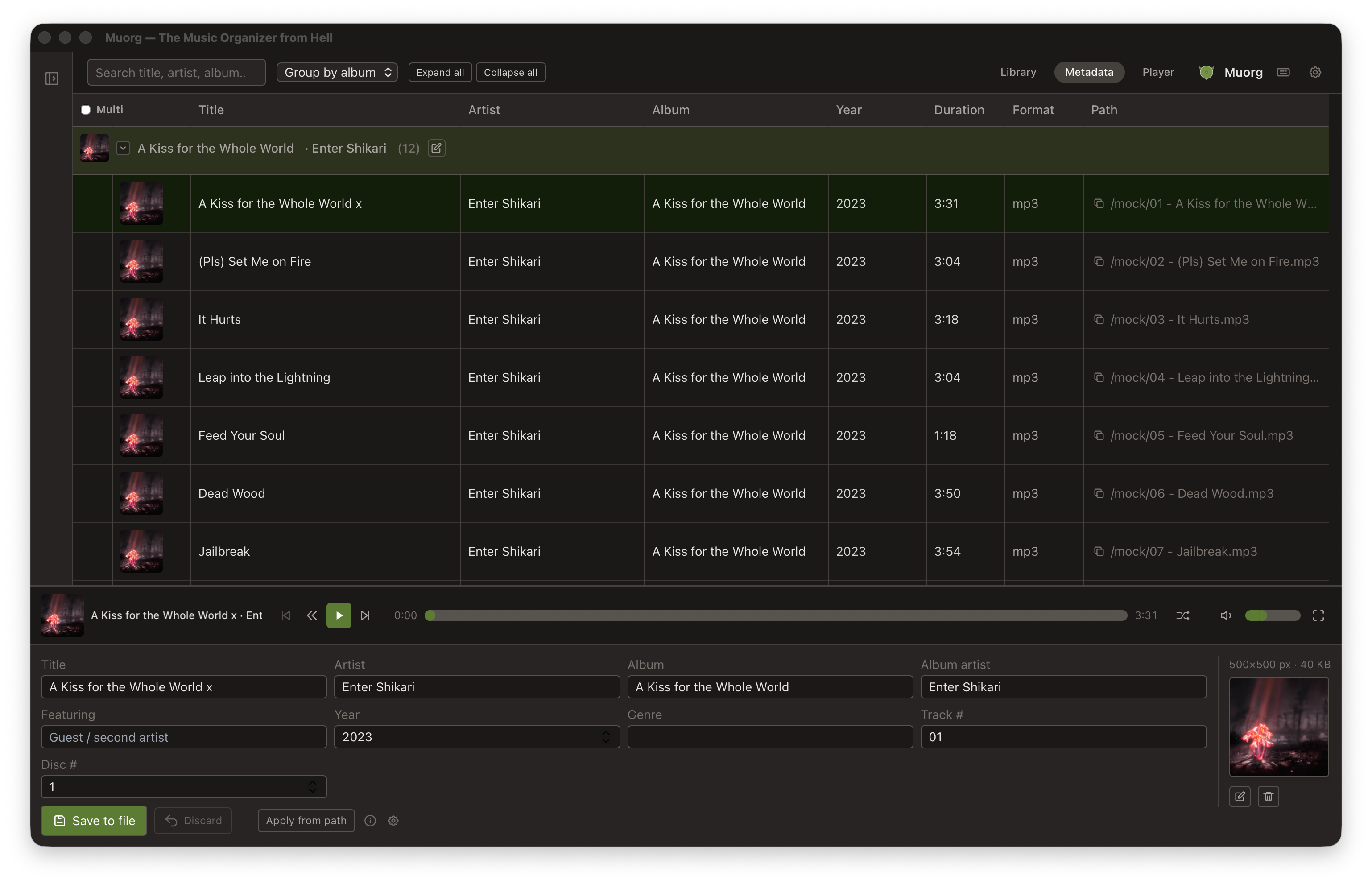
- Metadata editor - Edit title, artist, album, album artist, year, genre, track/disc number, and album art. Bulk edit: select multiple tracks and change only the fields you want - other fields stay per-track.
- Smart Suggestions - Define how your file paths are structured, then apply it to auto-fill tags from any track's path. Keeps tags consistent with your folder layout. Example patterns:
- Artist / Album / TrackNumber - TrackTitle
- Artist / Year - Album / TrackNumber - TrackTitle
- Artist / TrackTitle
- Playlists - Create, rename, delete, and export playlists to M3U. Add tracks via context menu or drag-and-drop.
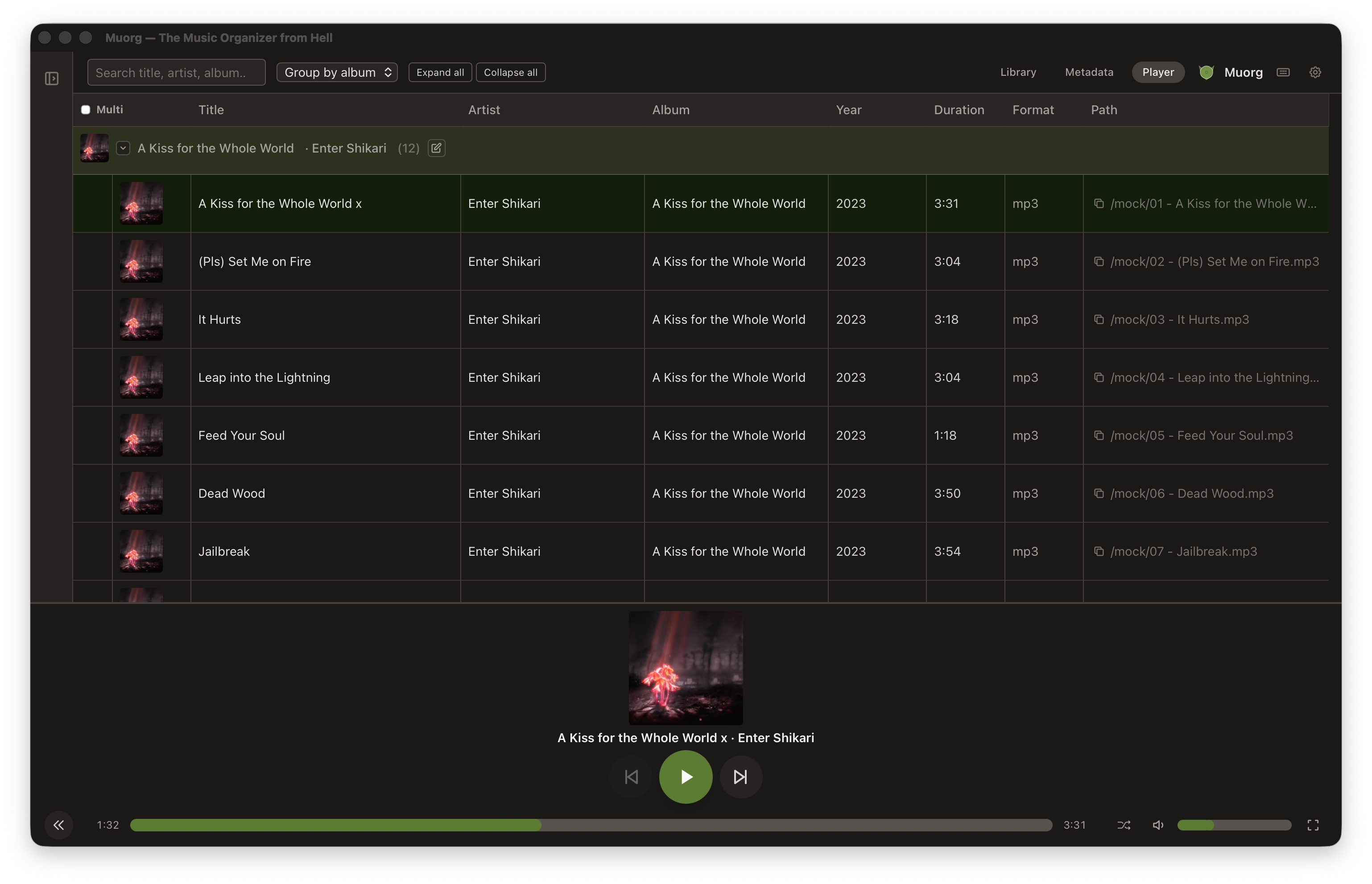
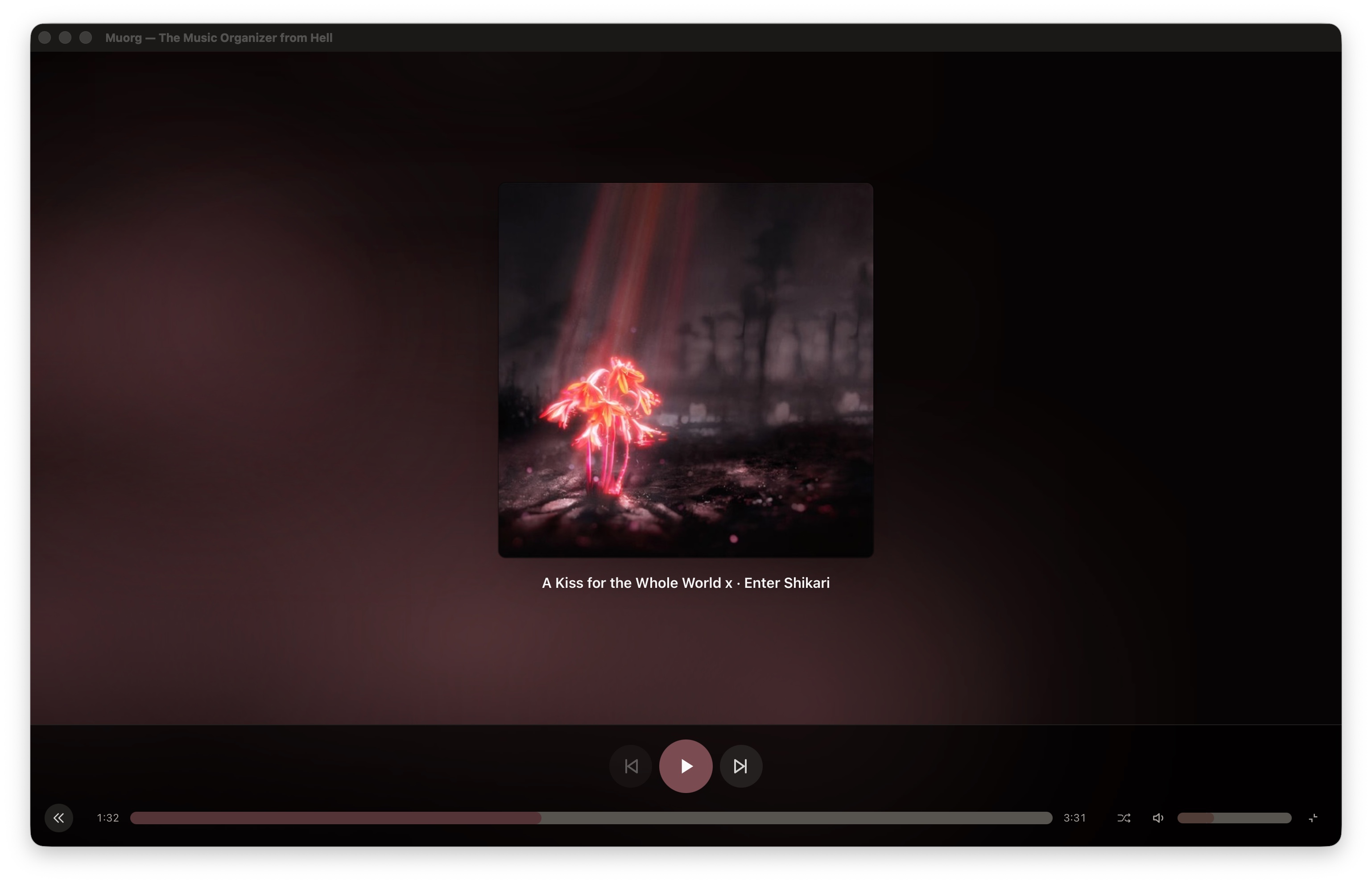
- Queue & Playback - Reorderable queue, shuffle, continuous playback, and a maximized player with full-screen album art tinted gradient.
- Reports - Sidebar panels for missing metadata, duplicate tracks, and missing album covers. Configurable and clickable to jump directly to the offending track.
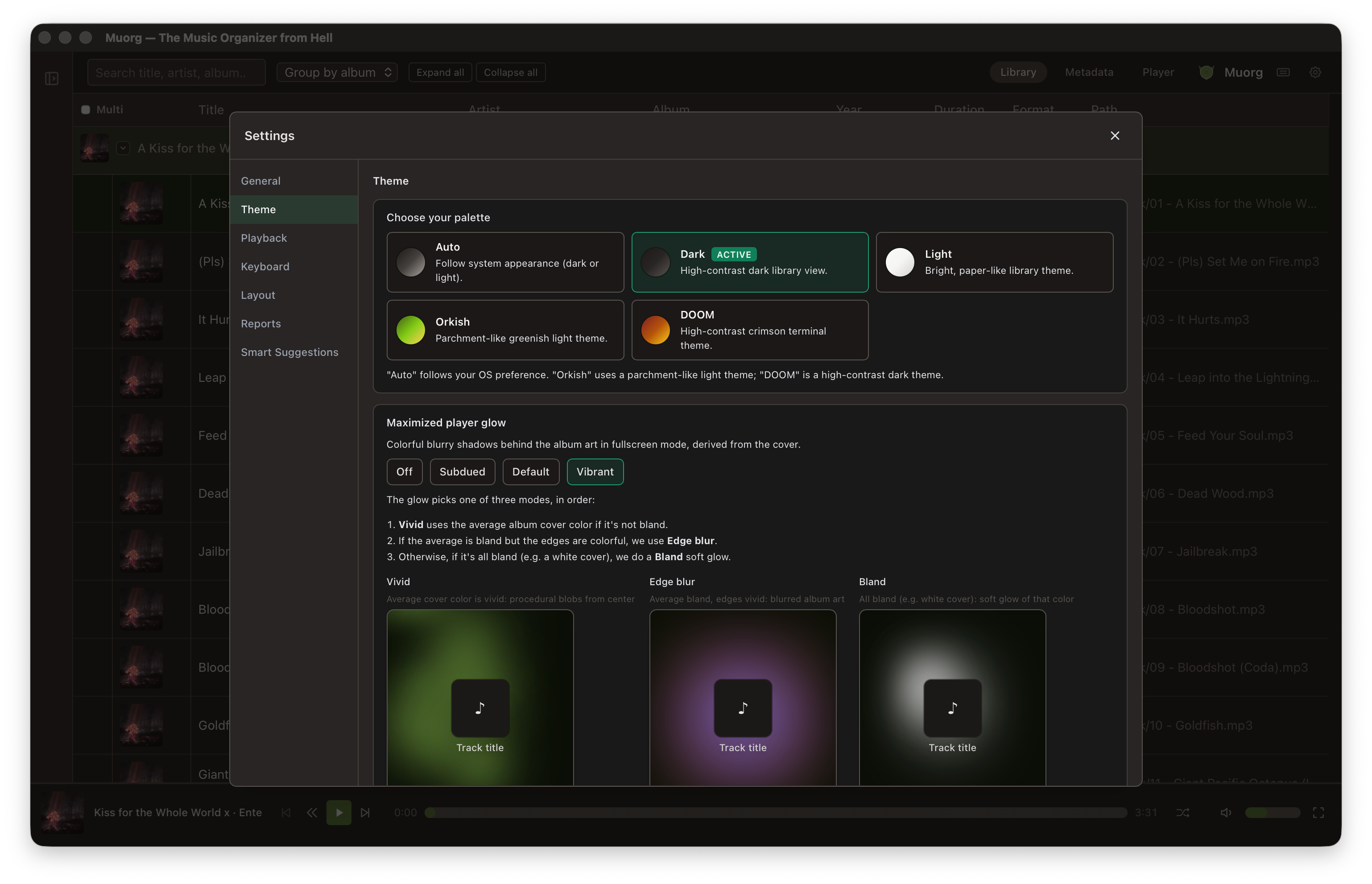
- Theming - Auto (system), Dark, Light, Orkish (green), and DOOM. Fully configurable layout, column widths, and panel sizes - all persisted.
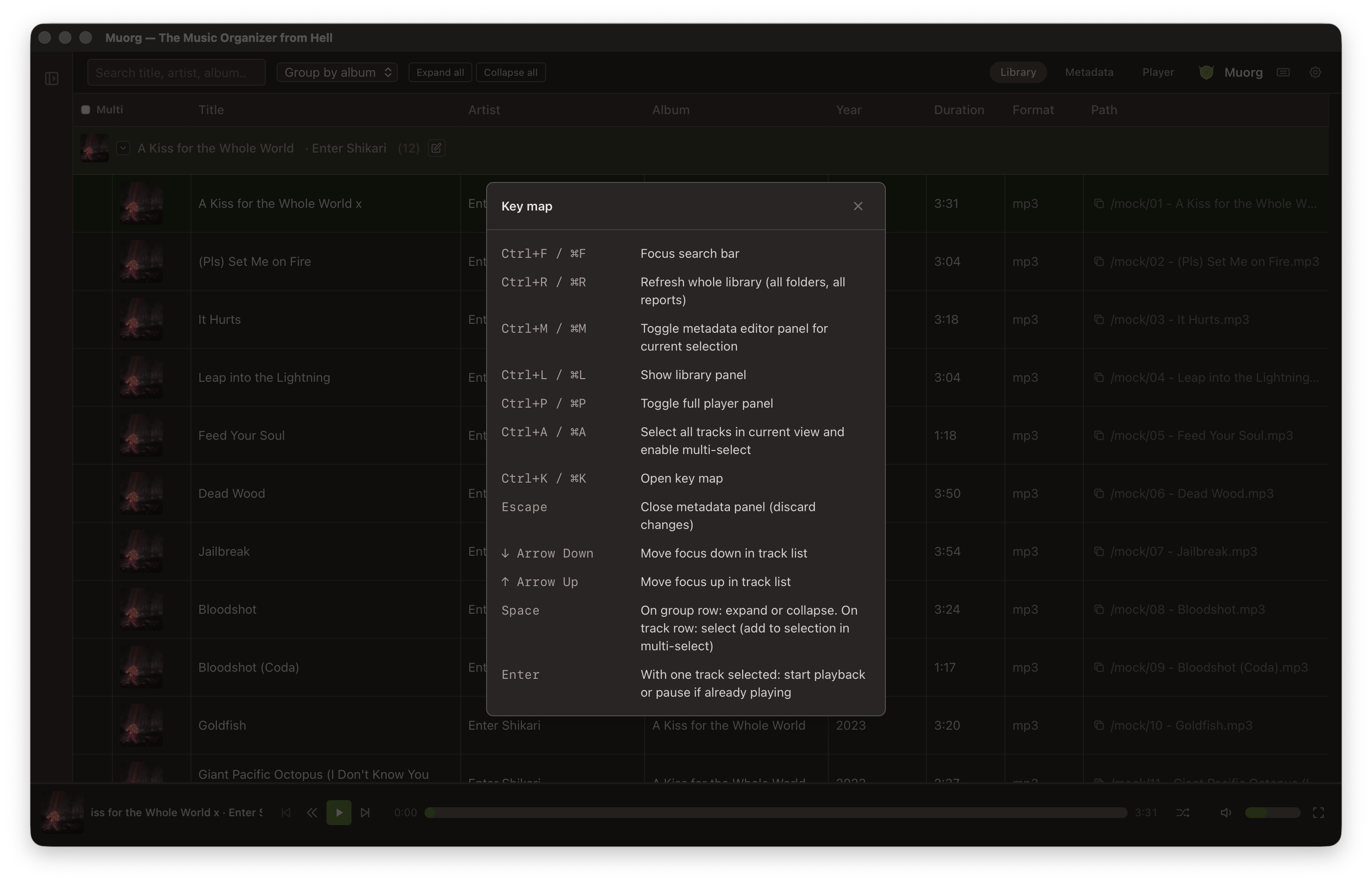
- Keyboard-first - Every major action has a shortcut. Ctrl+K opens the full key map.
Screenshots
Main library view:
Metadata editor with tag fields and album art:
Compact player bar and maximized full-screen player:
Theme settings and Smart Suggestions:
Key map (Ctrl+K):
Web client (PWA) — installable browser UI on mobile:
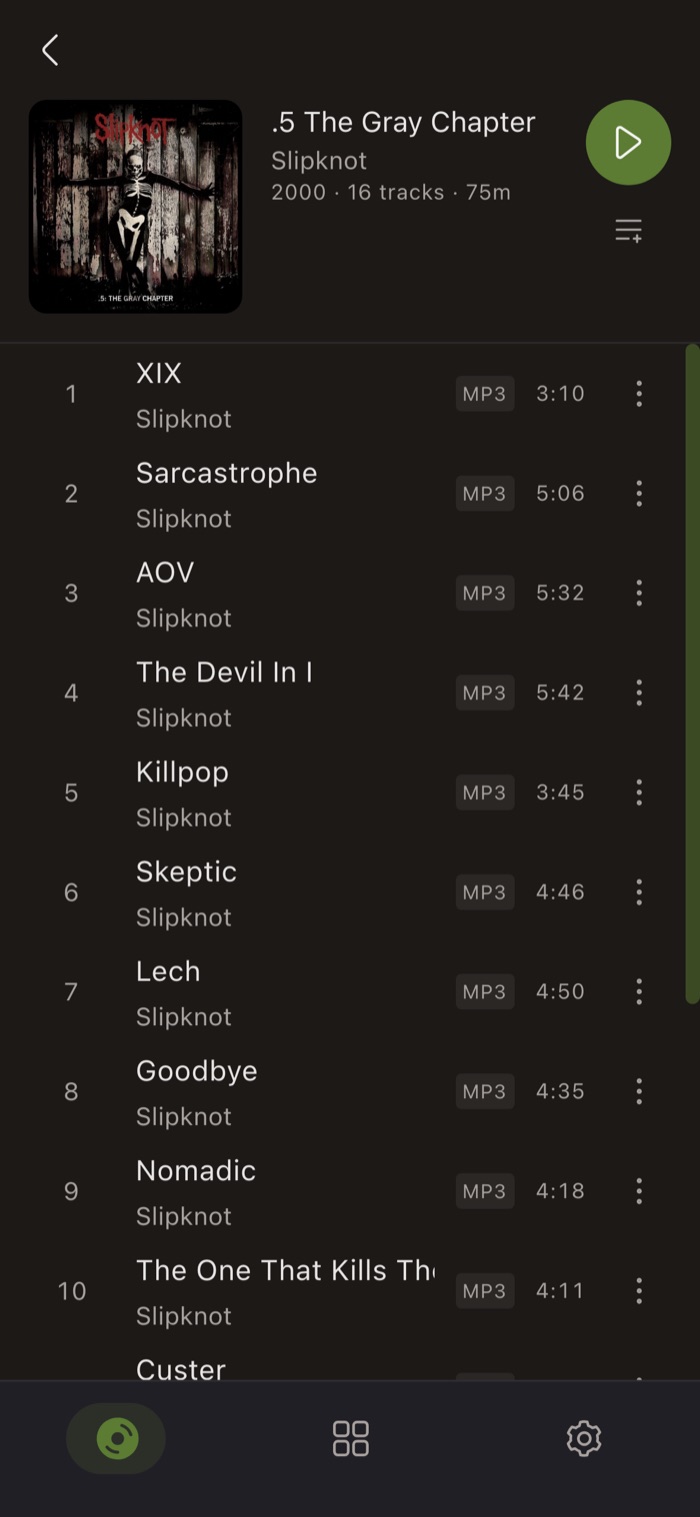
Album detail with track list and playback:
Tech Stack
 Tauri 2 - Rust-powered desktop shell; native installers for macOS, Windows, and Linux with auto-update support
  Vue 3 - Component-based frontend running in the Tauri WebView
  TypeScript - Typed frontend throughout; interfaces mirror Rust types
  Tailwind CSS - Utility-first styling with theme-aware classes
  Pinia - State management for catalog, settings, and playlists
  SQLite - Persistent catalog of tracks, roots, and playlists via Rust's rusqlite
  Rust - Backend logic: ID3 metadata (MP3), Vorbis/FLAC metadata, file scanning, and all 21 Tauri commands
 CI/CD Status


Website
Live instance at muorg.nergy.space — the web client connected to a self-hosted muorg-server.
Full documentation (desktop, server, web & Android clients) at docs.muorg.nergy.space.
Source Code
The project is open source and available on GitHub